
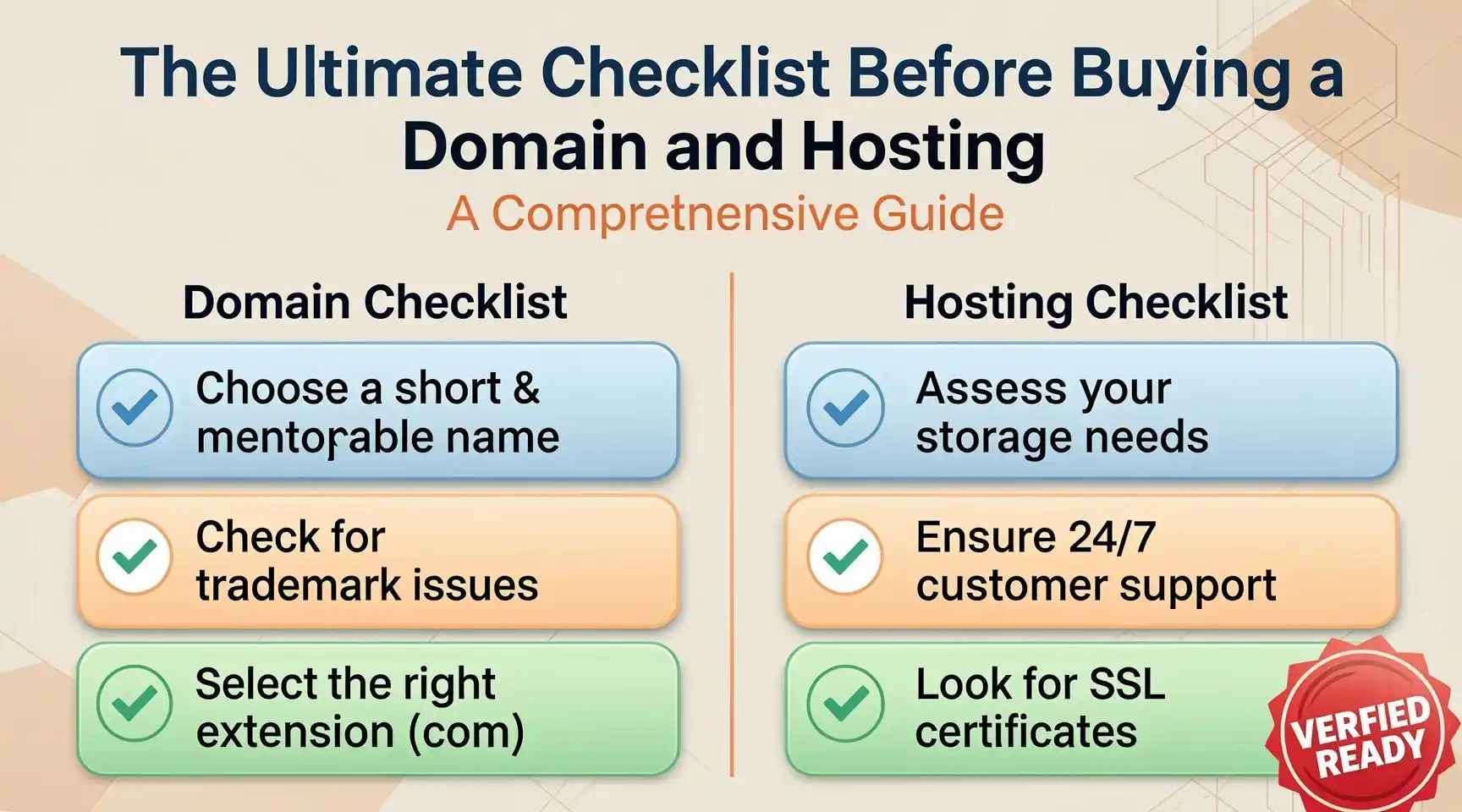
The Ultimate Checklist Before Buying a Domain and Hosting: A Comprehensive Guide
Embarking on the journey of establishing an online presence is one of the most critical steps for any modern business, blogger, or entrepreneur. However, the process of acquiring digital real estate is fraught with potential pitfalls. Buying a domain name and a hosting plan is not merely a transaction; it is the laying of a foundation. If the foundation is cracked, the entire structure—your website, your brand, your SEO efforts—will suffer.
This guide is designed to be the definitive resource for anyone looking to secure their space on the web. By following this checklist, you will avoid common scams, technical limitations, and costly mistakes that plague newcomers and veterans alike.
Phase 1: Brand Strategy & Identity Verification
Before you pull out your credit card, you must ensure that your digital identity is actually viable. This is the strategic phase where many make fatal errors.
- The Trademark and Legal Clearance
One of the most expensive mistakes a new website owner can make is infringing on an existing trademark. Just because a domain is available for registration does not mean it is legally safe to use.
- USPTO Search: If you are in the US, search the United States Patent and Trademark Office (USPTO) database.
- Global Databases: If you plan to operate internationally, check trademark databases in the EU, UK, and other major markets.
- The “Yahoo Test”: Search for your desired name on Google. Are there established businesses with similar names? If a giant corporation owns the term, you risk a Cease and Desist letter years down the line, forcing you to rebrand at a massive loss.
- Social Media Handle Availability
Consistency is the bedrock of branding. If you buy BestWidgets.com but @BestWidgets is taken on Instagram, Twitter (X), and Facebook, your marketing efforts will be disjointed.
- Action Item: Use tools like Namechk or KnowEm to check the availability of your desired username across hundreds of social platforms simultaneously. Secure the handles before you buy the domain to ensure total brand uniformity.
Phase 2: The Domain Name Checklist
Your domain name is your address on the internet. It affects your branding, your SEO Strategy, and your return traffic. Here is the granular checklist for the domain itself.
- The “Radio Test” and Spelling Ambiguity
A domain passes the “Radio Test” if a person hears it on the radio and knows exactly how to spell it without asking questions.
- Avoid Hyphens: Best-Widgets.com is a nightmare. People will forget the hyphen and land on your competitor, BestWidgets.com.
- Avoid Numbers: Do you spell it “4” or “Four”? “2” or “To”?
- Avoid Homophones: Domains like DesignsForYou.com are risky because users might type DesignsForU.com.
- The Extension (TLD) Selection
While .com remains the gold standard, the landscape has changed.
- .com: Still the most trusted. Users instinctively type .com at the end of a web address.
- .net / .org: Acceptable alternatives, though .org is traditionally reserved for non-profits.
- New gTLDs (.store, .app, .ai): These are becoming popular for tech startups. However, be aware that some firewalls and corporate email filters still flag non-standard TLDs as suspicious.
- Country Codes (ccTLDs): If you are a local business in Canada, .ca is superior to .com because it signals local relevance to Google.
- Domain History and “Cleanliness”
This is the step most buyers skip—and it is the one that ruins Website Performance before the site even launches. A domain is not always “new” just because it is available. It may have been used previously by a spammer, a gambling site, or a link farm.
- Check the Wayback Machine: Use the Internet Archive (Wayback Machine) to see if the domain had a previous life. If you see gambling, adult content, or spam, walk away.
- Check for Blacklists: Use tools like MXToolbox to see if the domain is blacklisted by Google Safe Browsing or Spamhaus.
- Spam Score: If you buy an “aged domain” for SEO purposes, check its spam score on SEO tools like Moz or Semrush. A high spam score is a toxic asset.
- Exact Match Domains (EMD) vs. Brandable Domains
- EMD: BuyCheapInsurance.com. This used to work well for SEO, but Google has penalized low-quality EMDs. If you choose this route, your content must be high quality.
- Brandable: Google.com, Amazon.com, Spotify.com. These offer no immediate SEO benefit but build long-term asset value.
Phase 3: Selecting the Right Hosting Provider
Hosting is the engine of your website. A cheap engine will stall under traffic; a Ferrari engine is expensive to maintain. You need the right balance.
- Understanding Hosting Types
Do not just click “Buy” on the cheapest plan. Understand the architecture:
- Shared Hosting: You share a server with hundreds of other websites. It is cheap but risky. If another site on the server gets a traffic spike or a virus, your site slows down or gets blacklisted. Good for low-traffic blogs only.
- VPS (Virtual Private Server): You share hardware but have dedicated resources (RAM/CPU). This is the recommended starting point for serious businesses.
- Cloud Hosting: The modern standard. Your site exists across a cluster of servers. If one server fails, another picks up the slack. High reliability.
- Dedicated Server: You lease an entire physical machine. Overkill for most new sites unless you have specific compliance or high-resource needs.
- Server Location and Latency
Physical distance matters. Data travels at the speed of light, but it still takes time.
- Action Item: If your target audience is in London, do not buy hosting on a server in Los Angeles. The latency (ping time) will slow down your site. Use a tool like “WebHostingGeeks” or simply ask the host where their data centers are located. Choose a location closest to your primary user base.
- Uptime Guarantees (The SLA)
Every hosting provider promises “99.9% Uptime.” Verify this.
- The Math: 99.9% uptime means roughly 8.7 hours of downtime per year. 99% means nearly 4 days of downtime.
- Action Item: Look for an SLA (Service Level Agreement) that offers compensation for downtime. However, the money back is rarely worth the lost sales. Check independent reviews on TrustPilot or Reddit to see if the host has a history of frequent outages.
Phase 4: Technical Specifications & Performance
The technical specs of your hosting plan dictate the user experience. Slow sites kill conversions.
- Storage Type: HDD vs. NVMe SSD
- HDD (Hard Disk Drive): Old technology. Slow read/write speeds. Avoid.
- SSD (Solid State Drive): Standard. Much faster.
- NVMe SSD: The current gold standard. It is significantly faster than standard SSDs and is becoming the industry standard for high-performance hosting. Ensure your host provides NVMe storage.
- Bandwidth and “Unlimited” Myths
Many hosts advertise “Unlimited Bandwidth.” This is a marketing lie.
- The Fine Print: Read the Terms of Service (TOS). They usually have a clause regarding “server resource abuse.” If your site uses too much CPU or RAM (not just bandwidth), they will throttle your speed or suspend your account.
- Action Item: Ask for the “Inode limit” (number of files allowed) and the CPU entry process limit. These are the real constraints.
- PHP Version and Technology Stack
If you are running WordPress, PHP version is critical.
- Action Item: Ensure the host supports the latest stable version of PHP (currently 8.1, 8.2, or higher). Running an older version (7.4 or older) is a security risk and slows down Website Performance significantly.
Phase 5: Security and Backups
Security is not optional. Cyberattacks are automated and indiscriminate; small sites are targeted just as often as large ones.
- The SSL Certificate
- Standard: Your host should provide a free Let’s Encrypt SSL certificate. If they charge for this, it is a red flag.
- Wildcard SSL: If you plan to have subdomains (e.g., store.yoursite.com), ensure the SSL covers wildcards.
- Backup Protocols
Do not rely on your host for backups.
- The Question: Do they provide automatic daily backups? How many days are retained (7 days, 14 days, or 30 days)?
- The Critical Step: Is the backup stored on the same server as your website? If the server is wiped or hacked, the backup is gone too. Ensure backups are stored off-site (e.g., on AWS S3 or Google Cloud).
- Security Suites (WAF)
Does the host provide a Web Application Firewall (WAF) or malware scanning?
- Managed WordPress: Look for hosts that include “Managed WordPress” features, which typically include automatic security patching and bot protection.
Phase 6: The Purchase Process & Domain Registration Nuances
You are now ready to buy. This phase focuses on the financial transaction and protecting your privacy.
- Domain Privacy Protection (WHOIS)
When you register a domain, your name, address, email, and phone number are listed in the public WHOIS database.
- The Risk: Spammers scrape this data. You will receive fake renewal notices and solicitation calls.
- Action Item: Ensure the registrar includes “WHOIS Privacy” or “Domain Privacy Protection.” Many reputable registrars (like Namecheap, Porkbun, or Cloudflare) offer this for free. If GoDaddy or others try to charge you $10/year for this, transfer your domain elsewhere.
- Registrar vs. Hosting Company
Should you buy the domain and hosting from the same company?
- The “Eggs in One Basket” Rule: Generally, no.
- Scenario: If your hosting account gets suspended (due to a billing error or a misunderstood policy) and they also hold your domain, they can hold your domain hostage.
- Best Practice: Buy your domain at a dedicated registrar (e.g., Namecheap, Cloudflare, Porkbun) and point the DNS nameservers to your hosting company (e.g., SiteGround, A2 Hosting, DigitalOcean). This gives you portability and leverage.
- Renewal Prices vs. Introductory Rates
This is the “bait and switch” tactic of the industry.
- The Trap: Hosting is often advertised at $2.99/month. This is the introductory rate for the first term (usually 12, 24, or 36 months).
- The Reality: When you renew, the price often jumps to $12.99/month or higher.
- Action Item: Before buying, scroll to the bottom of the pricing page and look for the “Renewal Price.” Calculate your long-term budget based on that renewal figure, not the teaser rate.
- Refund Policies and Money-Back Guarantees
- Action Item: Read the refund policy carefully.
- Hidden Fees: Some hosts offer a “30-day money-back guarantee” but will deduct the cost of the “free domain” you got with the plan (often $15+) from your refund. Others charge a “processing fee” for cancellations.
Phase 7: Post-Purchase Immediate Actions
The transaction is complete, but the work isn’t over. You must secure your assets immediately.
- Enable Two-Factor Authentication (2FA)
This is the most critical security measure for your accounts.
- Action Item: Enable 2FA on both your Domain Registrar account and your Hosting account. Use an authenticator app (Google Authenticator, Authy) rather than SMS if possible, as SMS can be spoofed.
- Verify DNS Propagation
After pointing your nameservers, DNS propagation can take anywhere from a few minutes to 48 hours.
- Action Item: Use a tool like dnschecker.org to see if your domain is resolving to the correct IP address globally. Do not panic if it works on your phone but not your laptop; it is just propagation delay.
- Install a Clean CMS
If you are installing WordPress, do not use the “One-Click Installer” if it installs bloatware (plugins you don’t need).
- Action Item: Check if the host offers a “WordPress Manager” or a clean install option. Immediately delete the “admin” user (create a new admin user with a unique name) and change the WordPress database prefix from wp_ to something random to prevent SQL injection attacks.
Phase 8: Future-Proofing Your Digital Asset
- Scalability and Migration
Can you upgrade easily?
- Action Item: Check if your host supports seamless upgrades. Can you move from Shared to VPS with one click, or do you need to migrate files manually? Ask their support chat before buying.
- Support Quality Tests
Don’t wait for your site to crash to test support.
- The Smoke Test: Before buying, open the support chat. Ask a difficult technical question (e.g., “Do you support HTTP/3 on shared plans?” or “What is the Inode limit?”). If they take 10 minutes to reply or give a generic copy-paste answer, find another host.
Conclusion
Buying a domain and hosting is a deceptively simple process that carries significant weight. By rigorously following this checklist—checking trademark history, verifying domain cleanliness, analyzing hosting specs, and securing your accounts—you transform a simple purchase into a strategic investment. Your website is the digital face of your ambition; give it the infrastructure it deserves.
Keywords: Domain Registration, Web Hosting, Website Performance.
Hashtags: #WebHosting #DomainNames #SEOTips
Disclaimer: The information provided in this article is for general informational purposes only. While every effort has been made to ensure the accuracy of the content, the author and publisher assume no responsibility for errors, omissions, or contrary interpretations of the subject matter herein. Prices, hosting features, and technical specifications mentioned are subject to change by the service providers. This article does not constitute legal, financial, or professional advice. Readers are encouraged to conduct their own due diligence and consult with professional advisors before making any purchasing decisions.
Have any thoughts?
Share your reaction or leave a quick response — we’d love to hear what you think!
-
 0
0
-
 0
0
-
 0
0
-
 0
0
-
 0
0
-
 0
0
